How to scan your website for vulnerabilities: a quick guide
Learn how to use Security Ready in 5 steps. No technical jargon.
1Request your free in-depth scan (1 minute)
On the home page, choose "Get your free in-depth scan" and enter the URL of the site you want scanned, your company name, your name and your email address. Click the button in the email we send you, and you are ready to go. The first scan is free and needs no payment details.
Request your free in-depth scan (first one free)
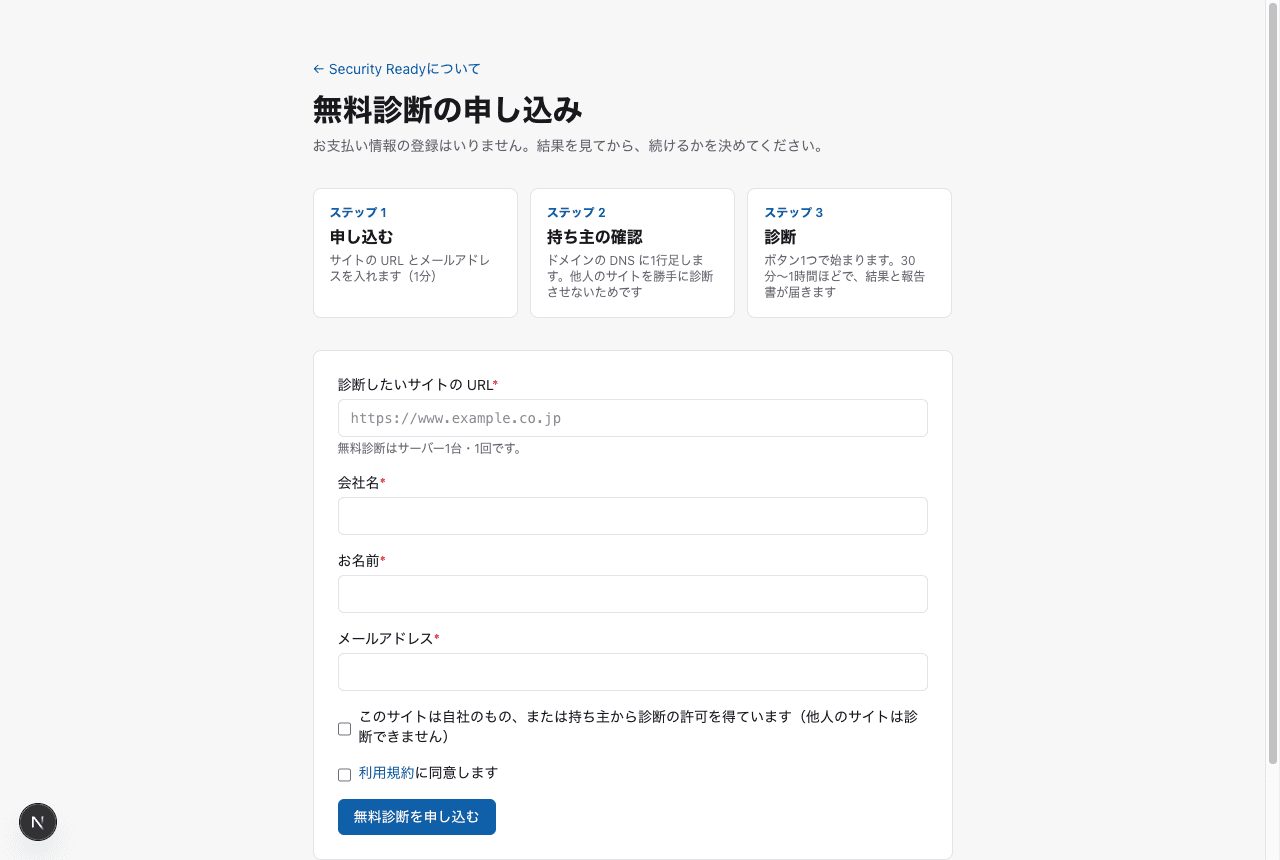
2Confirm you are allowed to scan the site (just tick a box)
This stops people from scanning other people's sites without permission. When you sign up, you choose whether you are the site's owner or an authorized representative (for example, the web agency or maintenance company the owner asked), and tick the box to accept responsibility. No DNS changes are needed.
We keep a record of who confirmed, when, and from where. If someone scans a site without permission and it causes damage, the person who confirmed is responsible.
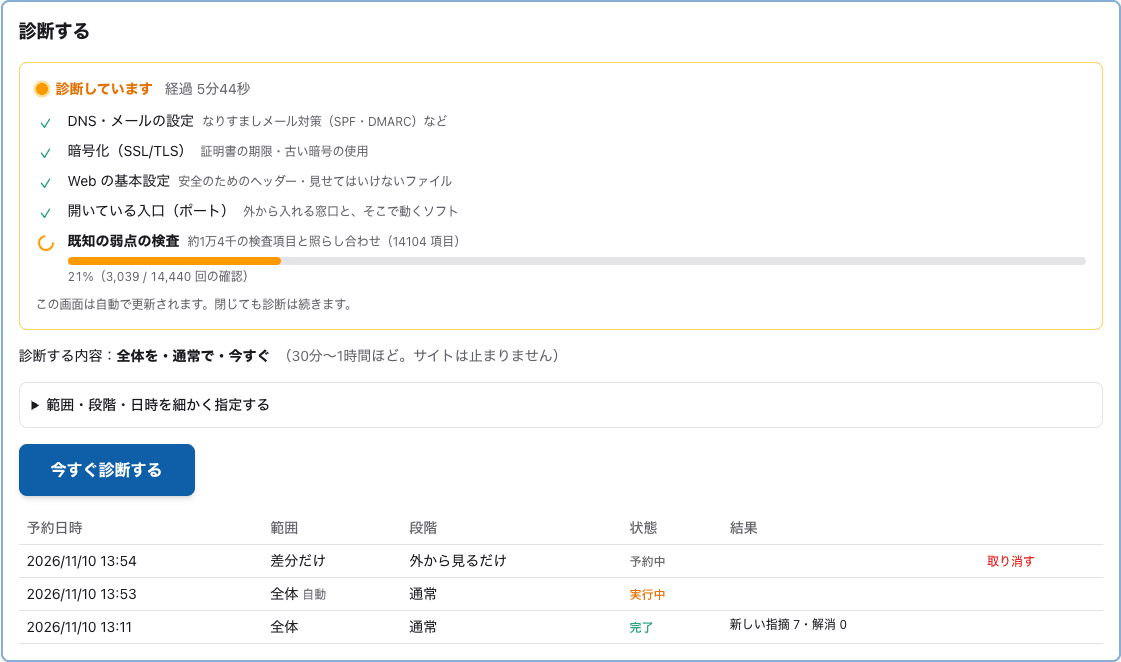
3Run the scan (one button)
On your server's page, open "Scan" and press "Scan now". That is all. It takes about 30 minutes to an hour, and you can watch the progress as it runs. Your site stays online the whole time.
4Read the results
Each problem found is listed with how serious it is (critical, high, medium, low) and a plain-language "what to do". Items with no problem are also listed with a ✓, so you can see exactly what was checked.
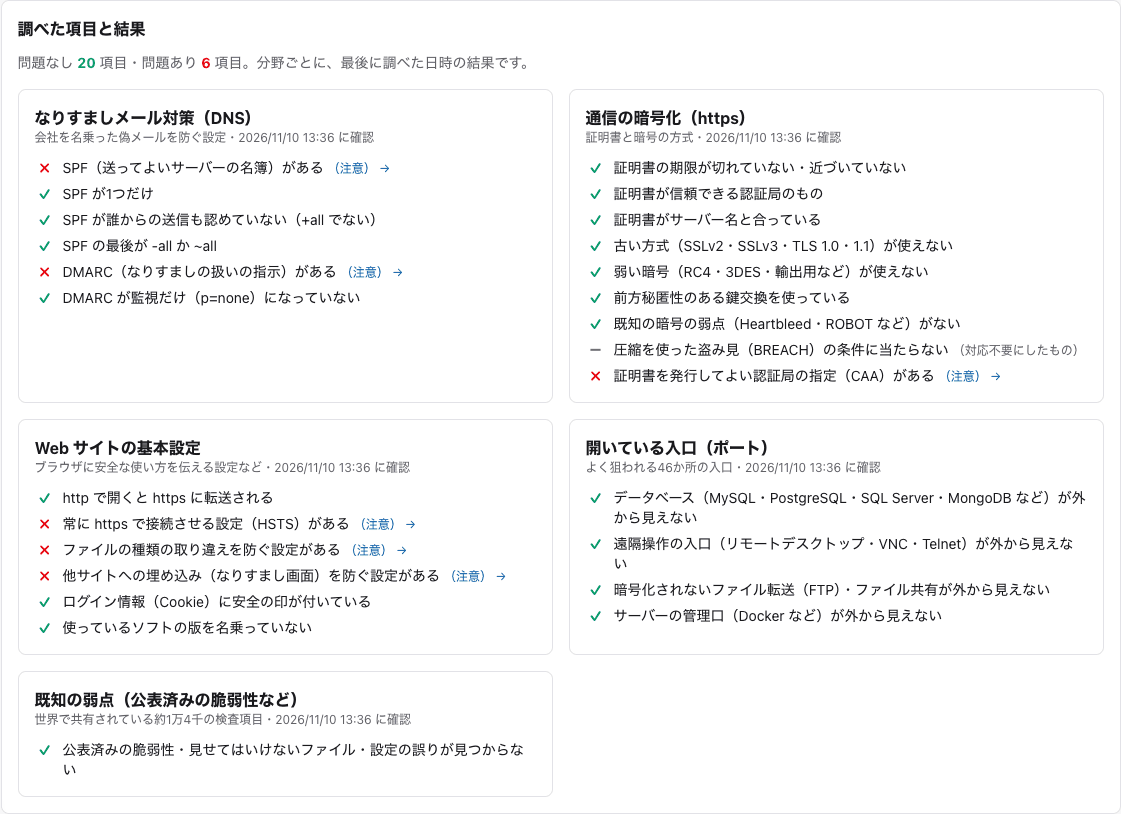
You can view the report on screen or download it as a PDF, ready to share with your boss or your clients.
Want to look inside too? With the Standard plan, the internal scan uses a small read-only program to check inside your servers and PCs (Windows and Linux). It finds Windows that has stopped updating, Office versions past end of support, and outdated software. Learn more
5Keep watch (plans)
Your site's weak spots change almost every week as software is updated and new vulnerabilities are announced. With a plan, we run light checks from the outside every day, run a full scan automatically on the day and time you choose, and on days when an urgent vulnerability is announced, we check your servers the same day.
Lite: USD 19/month for the first server, USD 9 for each additional server. See pricing
Not ready to sign up? Try the 30-second quick check first. Just enter your domain, no sign-up needed. Already have an account? Log in.